Question banks › Adding questions
Add questions with a template or quick add
Learn how to add questions through an Excel file, and how to quick-add multiple-choice questions.
Last updated
You can add questions to a question bank in two quick ways: using an Excel template, or using quick add for multiple-choice questions.
Add using a template
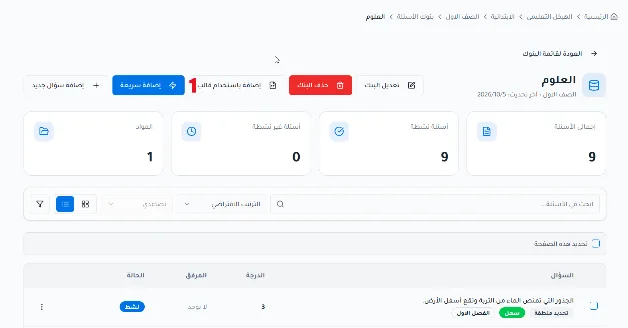
Click Add using template to add new questions using an Excel file.
Choose the question type. The supported types are: multiple choice (single answer), multiple choice (multiple answers), true/false, short answer, fill in the blanks, ordering, and matching.

Click Download template.

After the file downloads to your device, fill it in with your questions.
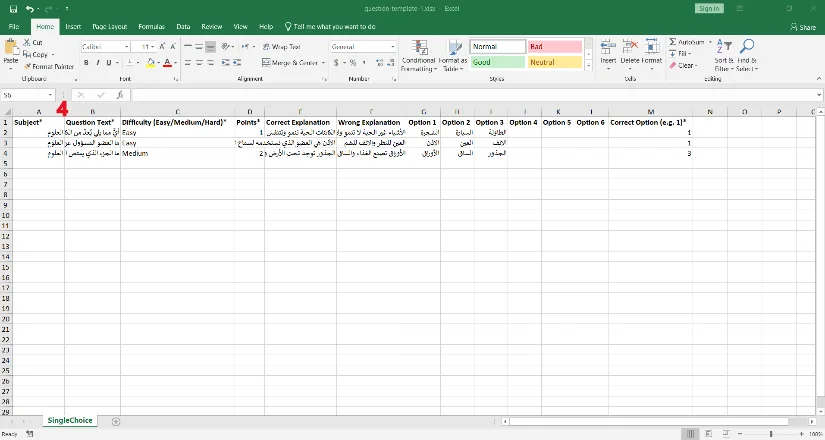
When you finish filling in the file, upload it. The system supports CSV, XLSX and XLS formats.
To upload the file, you can drag it directly from your device, or click the rectangle to choose a file from your device.

Quick add
Click Quick add to add multiple-choice questions one after another without leaving the question bank.