Grading
Grade with AI
Grade subjective questions with AI using rubrics, review its suggestions, and understand credit usage.
Last updated
Some question types can be graded by AI based on rubrics, after which the teacher reviews the suggested scores.
Questions that can be graded
Essay question: can be graded manually or with AI when linked to a suitable rubric.
Short answer: can be graded manually or with AI when linked to a suitable rubric.
Programming question: can be graded manually or with AI when linked to a suitable rubric.
Audio answer: graded manually by the teacher, and needs no rubric for manual grading.
You can also adjust the score manually after using AI.
Grading steps
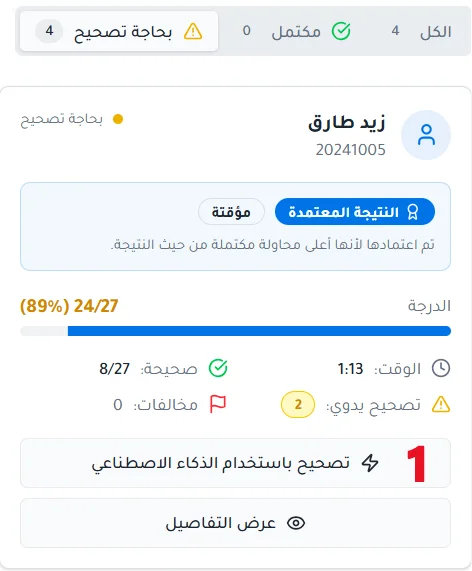
After reviewing the ready answers, click Grade with AI.
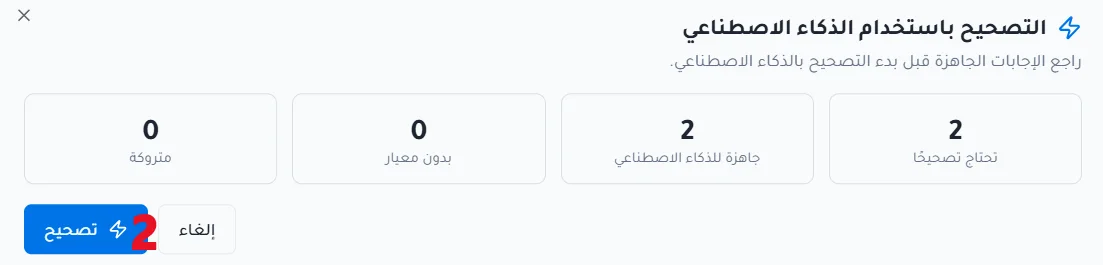
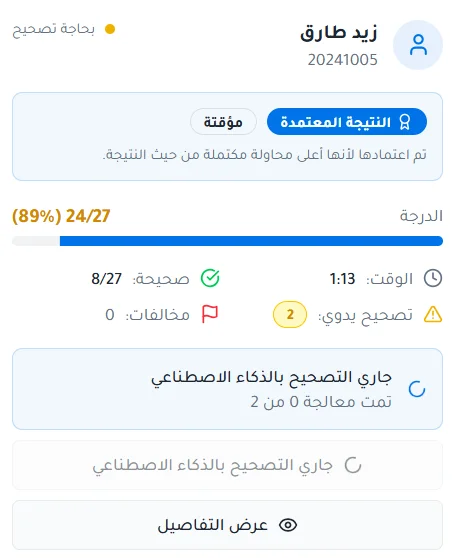
Click Grade, and the AI evaluates the answers based on the rubrics.
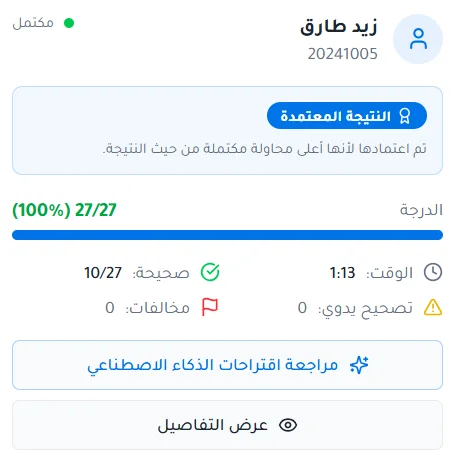
Click Review AI suggestions.
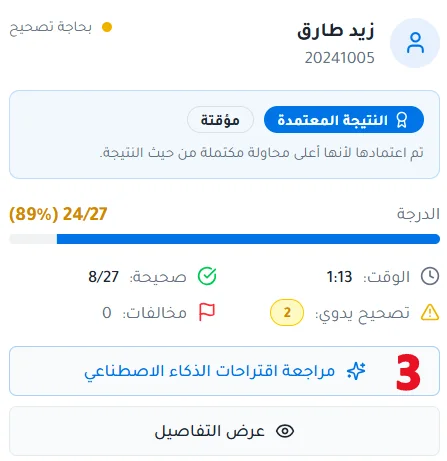
Go to the questions that need grading.
Review the AI's suggestion; you can accept, reject or edit the suggested score.
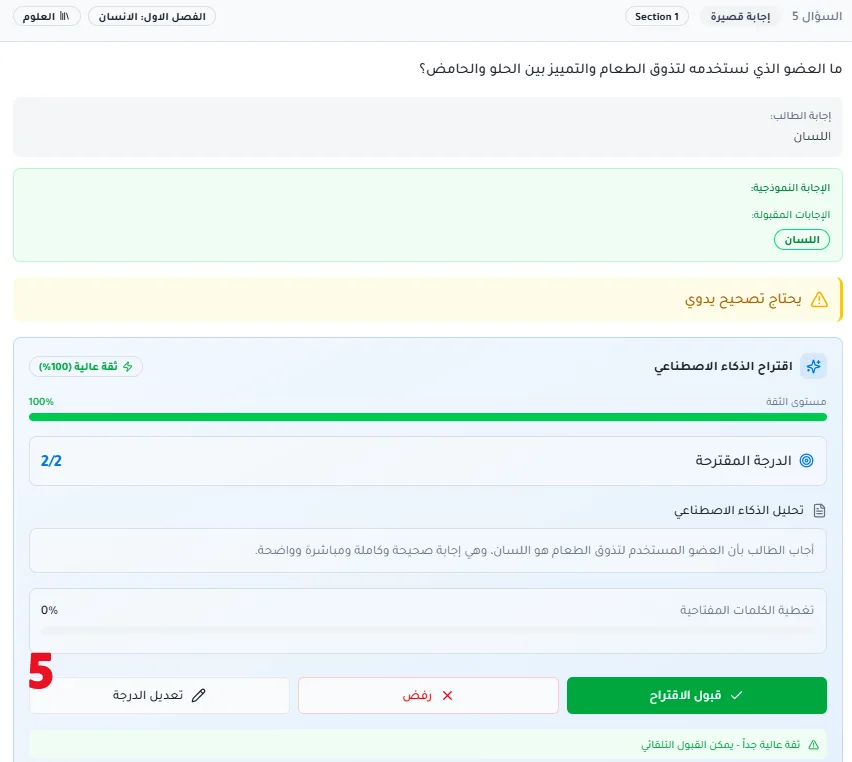
Review the suggested score
After the AI suggests a score for the student, the teacher can review the suggestion and take one of the following actions:
Accept score: approve the score suggested by the AI and save the student's resulting grade.
Reject score: reject the AI's suggestion, then enter the score manually, choose the appropriate rubric for the question manually, and then save the answer.
Edit score and rubrics: the teacher can edit the rubric values and change the question's score, whether before accepting the AI suggestion or after accepting or rejecting it, according to the options available in the grading interface.
Credit usage
AI grading consumes AI credits from your account. The amount consumed varies from one grading run to another depending on the number of questions to grade, the number of students, and the difficulty level of the questions. Because of this, a fixed usage cannot be determined in advance, and we recommend making sure you have enough credits before starting to grade a large number of answers.
When credits run out during grading
Grading stops immediately. Results for students whose grading was completed before it stopped are saved, but the system does not automatically finish grading the students who were not yet graded, and their answers remain awaiting grading.