Grading
Rubrics and how to create one
Learn the default rubrics and create a new rubric with criteria, weights and levels.
Last updated
This page is for creating and managing rubrics for subjective questions.
Open the page
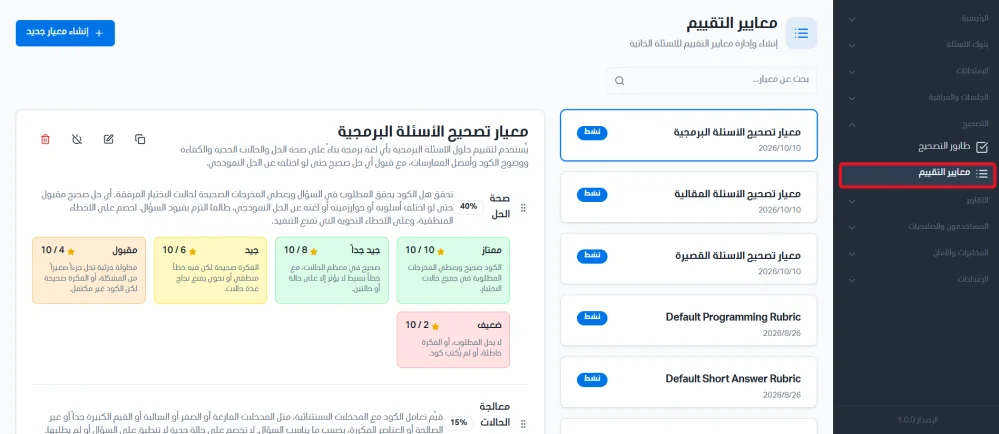
From the side menu, click Grading and then choose Rubrics. You can use the search bar to find a rubric.
Default rubrics
The system includes three default rubrics:
Default programming rubric: the default rubric used to grade programming questions.
Default short answer rubric: the default rubric used to grade short answer questions.
Default essay rubric: the default rubric used to grade essay questions.
Create a new rubric
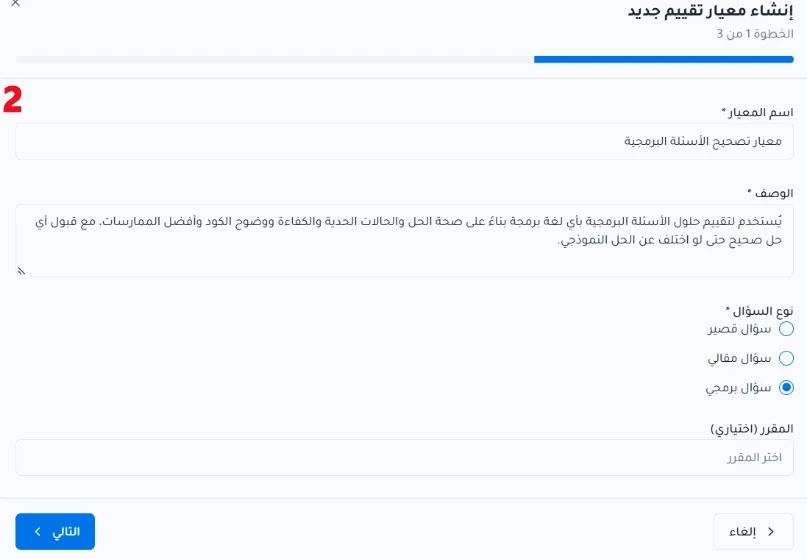
Click Create new rubric.
Under Basic information, enter the rubric name and description, choose the question type, and optionally the course.
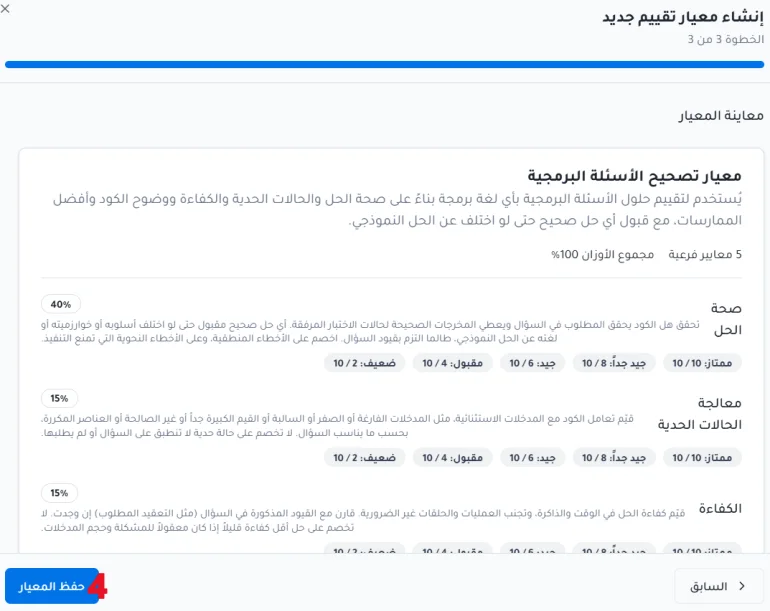
Enter the criteria. For each criterion enter: the criterion name, the weight, what this criterion measures, and the levels.


Review the rubric in Rubric preview before saving.