Exams › Creating an exam
Create a random exam
Steps to build an exam whose questions are drawn randomly from question banks, balance difficulty, and publish.
Last updated
In a random exam the system draws questions from the question banks you choose, and can distribute difficulty levels in a balanced way.
Getting started and basic information
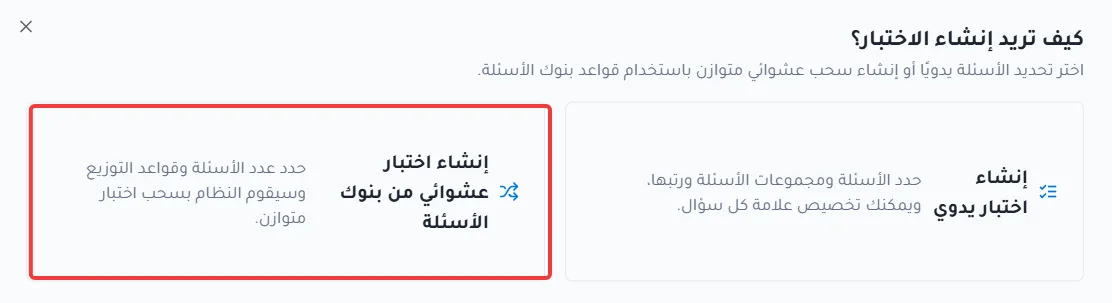
Click Create a random exam from question banks.
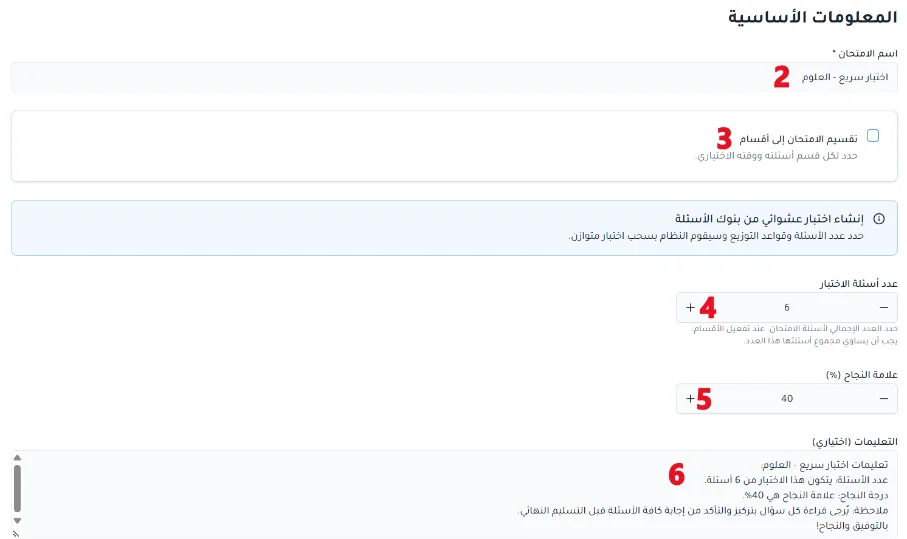
Enter the exam name.
Split the exam into sections (optional).
Set the number of questions.
Set the passing score.
Add instructions for students before the exam starts (optional).
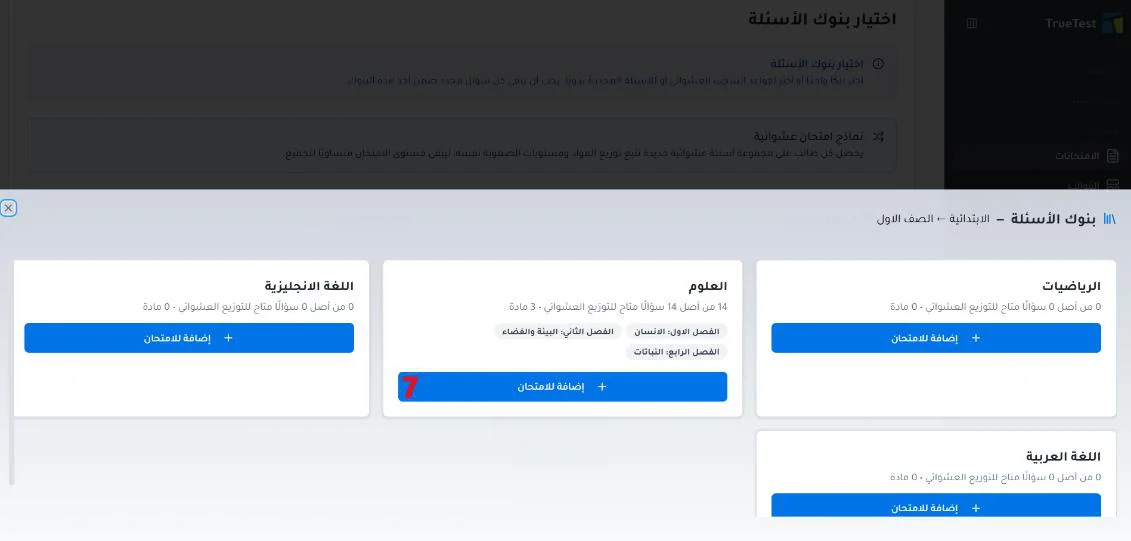
Choose question banks
Choose one or more question banks to draw questions from randomly.
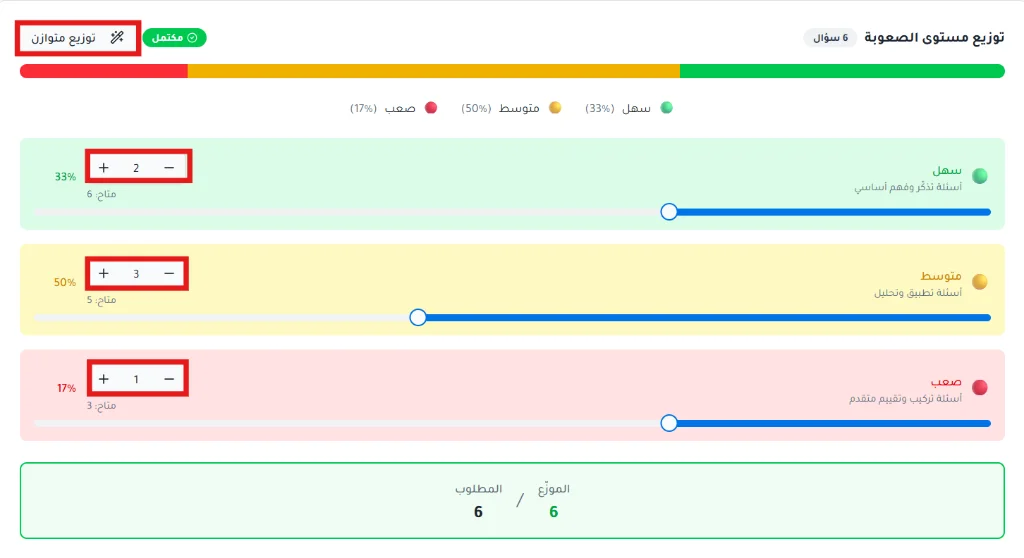
Distribute the questions
Click Auto distribute to select the questions. In this step you can also increase or decrease the number of questions.

Click Balanced distribution to spread question difficulty evenly. You can adjust the desired number of questions for each level, and the system shows how many questions are available for each level.
Review and publish
Review the exam information. You can go back to earlier steps to make changes.
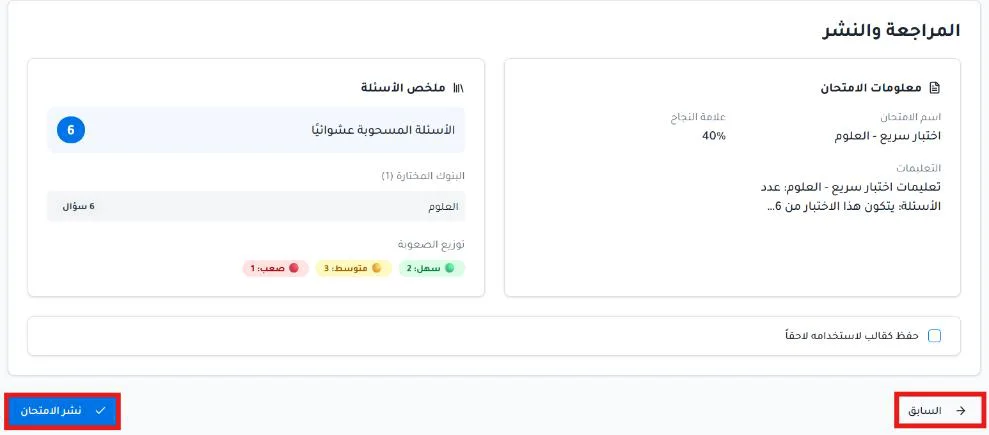
Click Publish exam.
