Users & permissions
Create groups and link students to a teacher
Learn how to create a group, link its students to a responsible teacher, and search groups.
Last updated
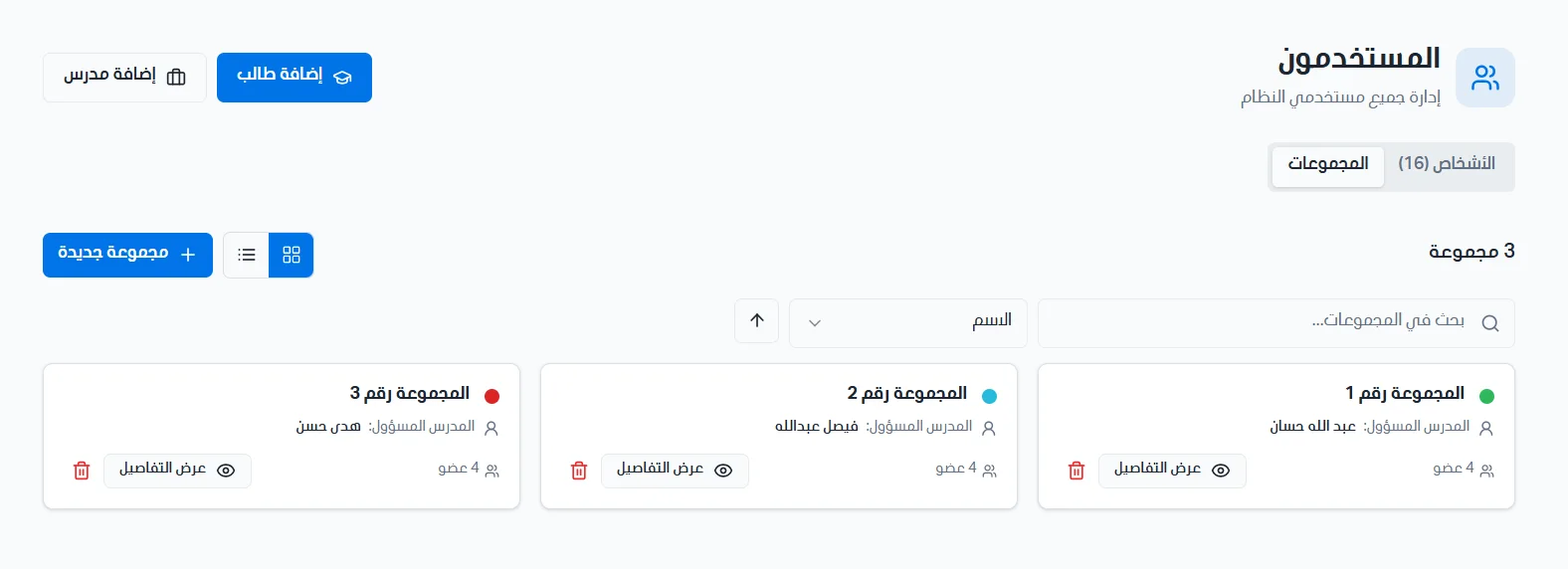
Groups are used to organize students and assign them to a responsible teacher, so that the teacher sees the students linked to the groups assigned to them.
Create a new group
Click the New group button, then enter the following details:
Name (required): the group name.
Teacher: choose the teacher responsible for the group, or leave it unassigned.
Select members: choose the students you want to add to the group.
Group color: pick a color to distinguish the group.
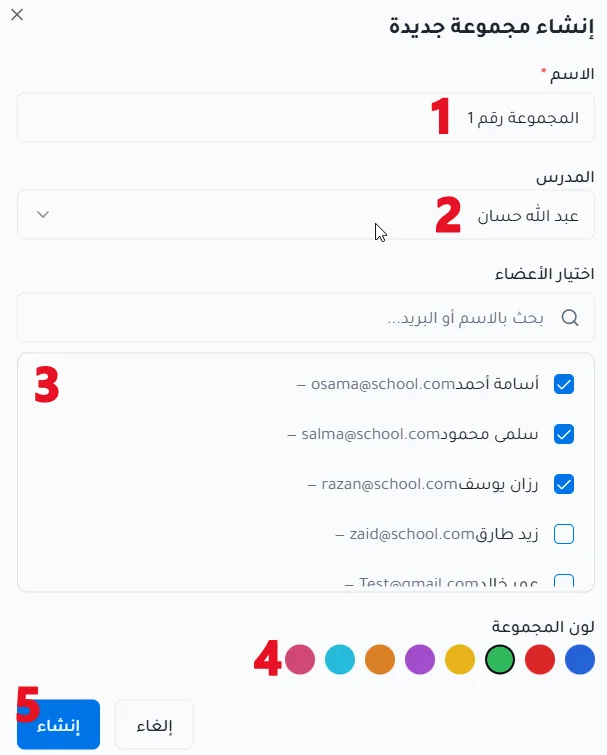
After entering the details, click Create to save the group, or Cancel to back out.
Link students to a teacher
For the assigned students to appear in a teacher's account, you must set the teacher responsible for the group and add the required students to it. The students are then linked to the teacher through the group.
Search, sort and view
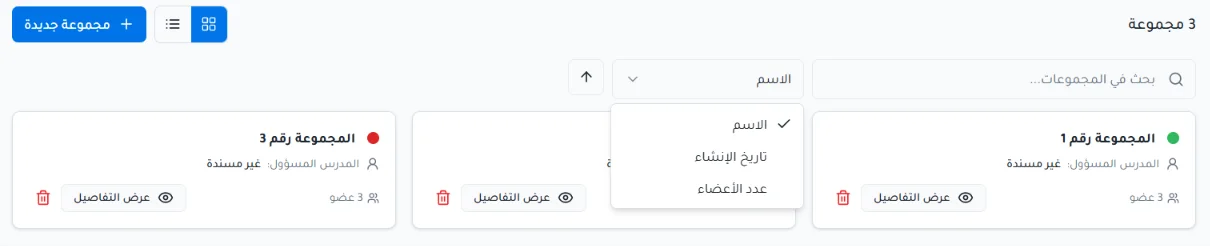
You can search groups using the search bar.
You can sort groups in ascending or descending order by name, creation date or number of members.
You can show groups as cards or as a table.