Sessions & proctoring
Manage sessions
Follow active, scheduled and finished exam sessions and run bulk actions like extending time or stopping a session.
Last updated
This page provides an interface to manage exam sessions and follow them in real time, with student monitoring, alert tracking and control over their attempts during the exam to protect the integrity of the educational process.
Open the page
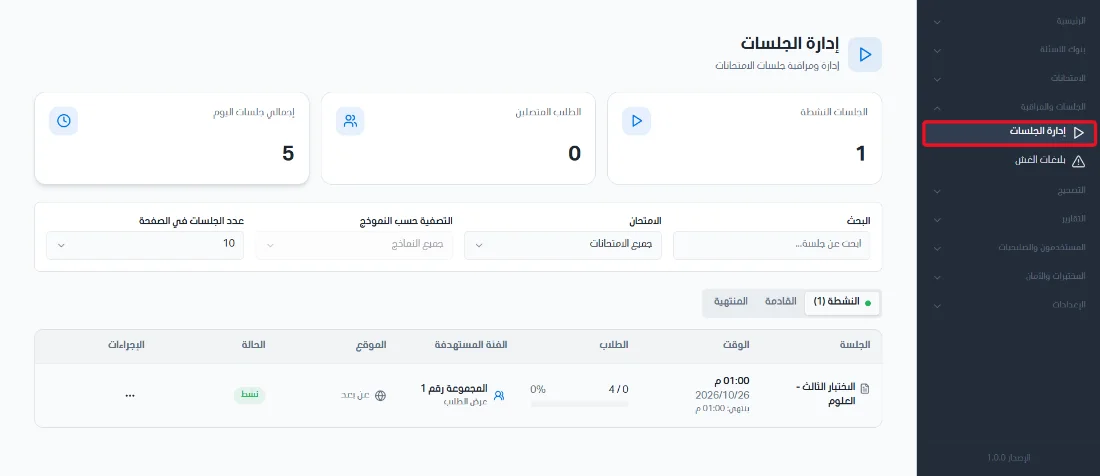
From the side menu, click Sessions & Monitoring and then choose Session management.
Stat cards and sections
Three stat cards appear at the top of the page:
Active sessions: the number of exams being taken at this moment.
Connected students: the number of students who have actually logged in to the exam platform.
Total sessions today: an overall count of the sessions planned for the current day.

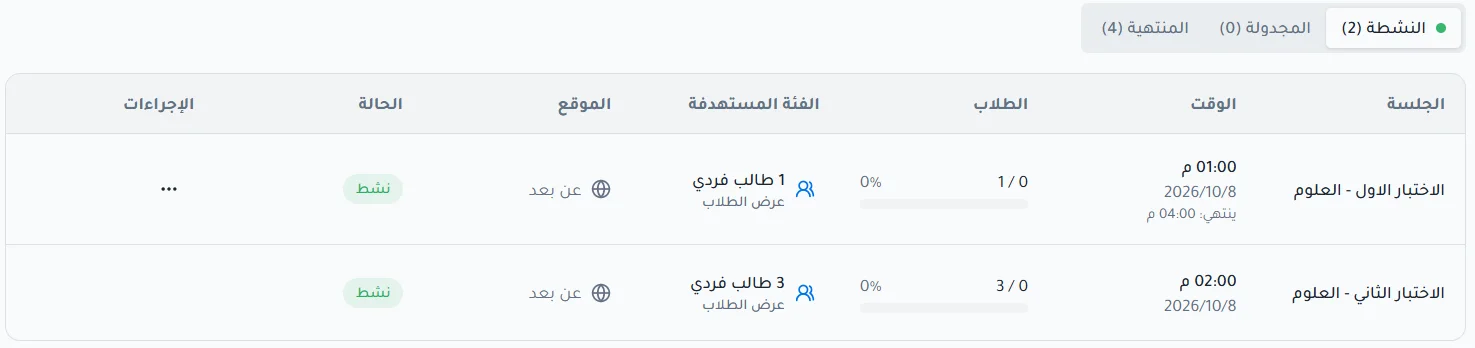
The control panel is divided into three sections:
Active sessions: follow exams running now and intervene immediately.
Scheduled sessions: review exams that have been set up and will start in the future.
Finished sessions: access the archive of past exams and retrieve their results.
Bulk actions
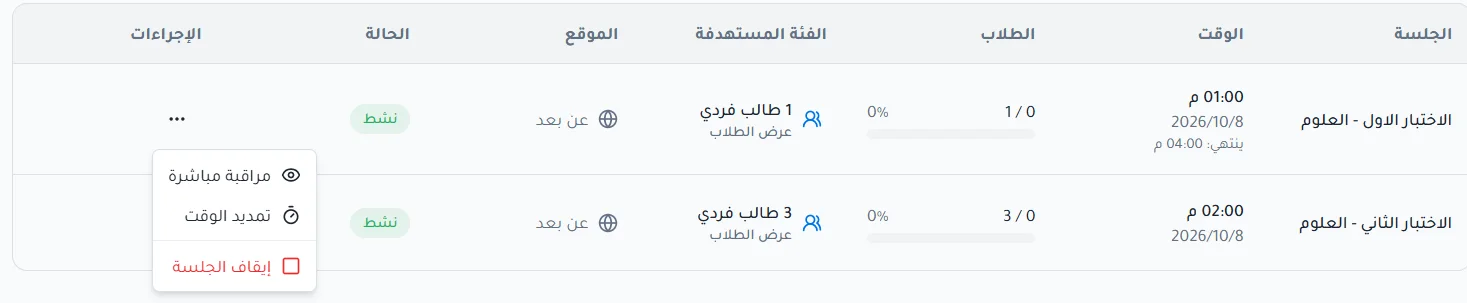
These actions apply to all students registered in the session at once:
Extend time: add extra minutes to the session in emergencies.
Stop session: immediately end the exam for all students and close the session, submitting the students' answers.
Live proctoring: opens a detailed control panel for the session, as described in the live proctoring article.