Reports
Login sessions
Review account login sessions, the devices used, and last activity, with search, filters, and details.
Last updated
This page lets you review account login sessions, the devices used, and last activity. These sessions concern signing in to the system, not exam delivery sessions.
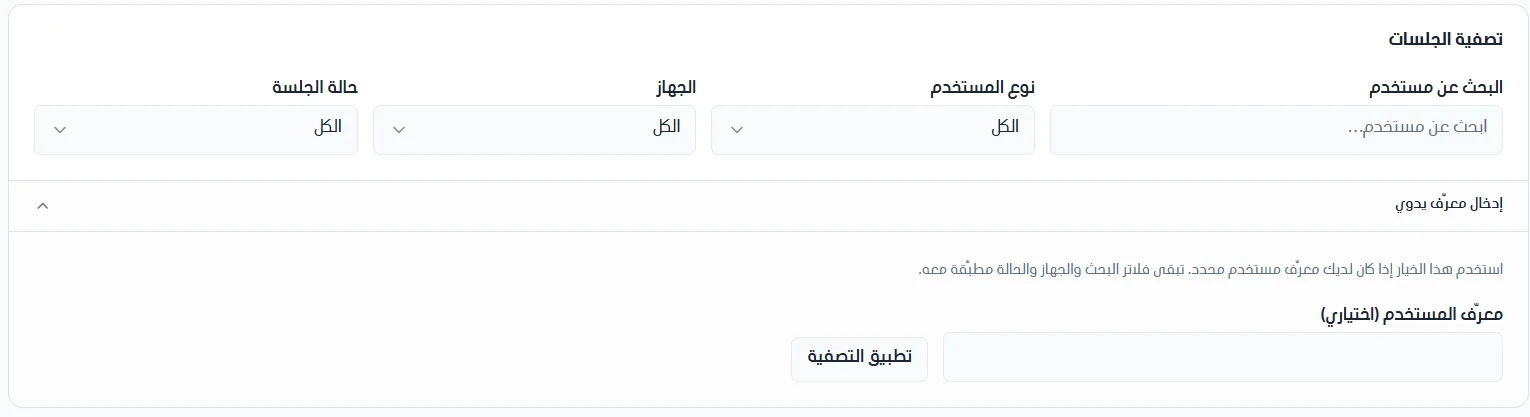
Filter and search sessions
You can search for a user by username.
You can search for a user by ID.
You can filter sessions by user type, device, or session status.
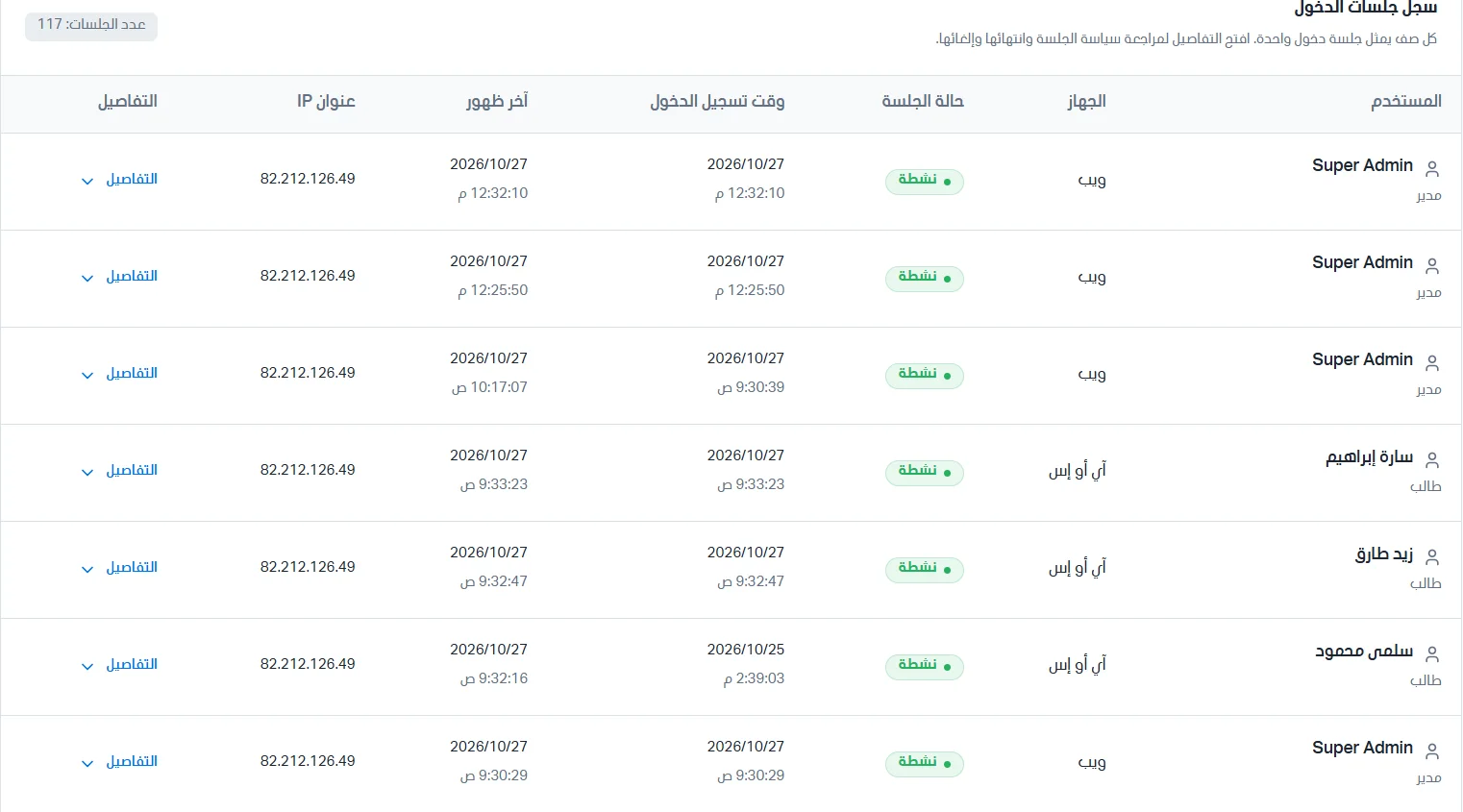
Login session log
The login session log appears in an organized table with the following data:
Username.
Device.
Session status (for example: active).
Login date and time.
Last activity date and time.
IP address.
Details.
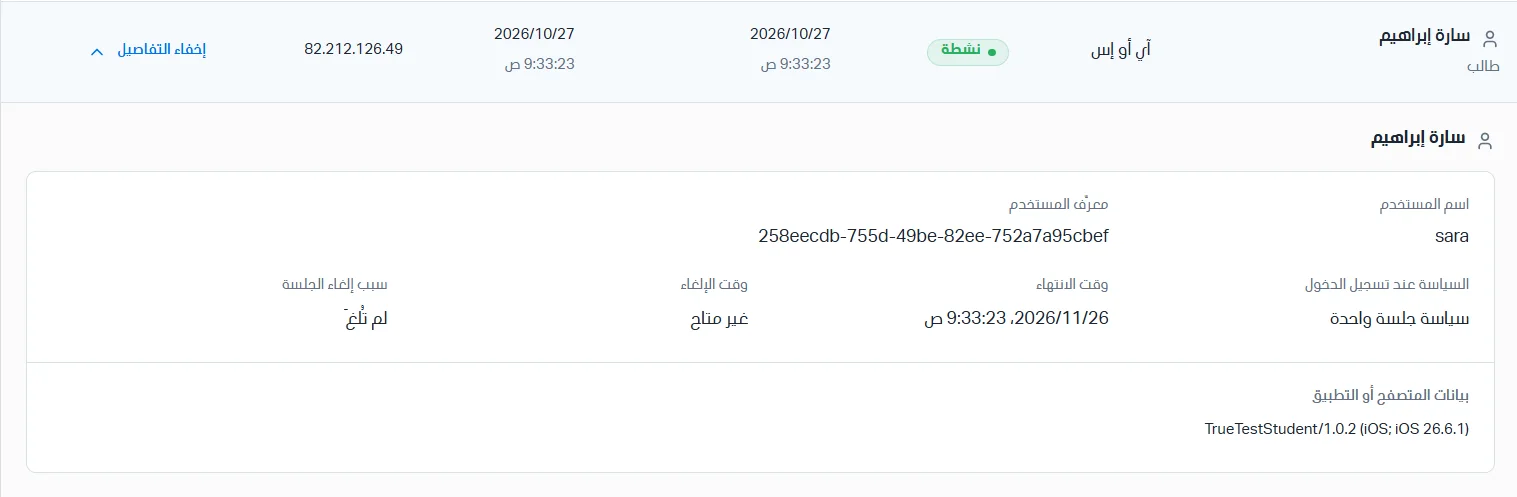
Session details
Click Details to review the session's policy, expiry, and cancellation. The following data appears:
Username.
User ID.
Policy at login.
Expiry time.
Cancellation time.
Reason the session was canceled.
Browser or app data.