Grading
Manage rubrics
Copy, edit, activate, deactivate or delete a rubric, and learn the limits on deleting and deactivating.
Last updated
After creating rubrics, you can review and manage them from the rubrics list.
View a rubric
Choose a rubric from the list to see its details, and review its information before saving.
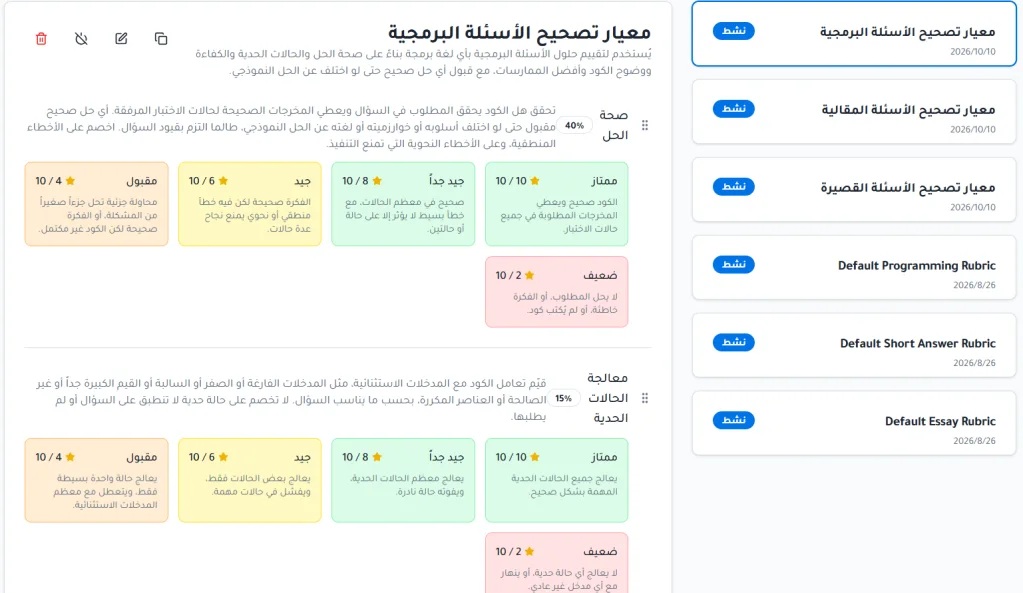
Available actions
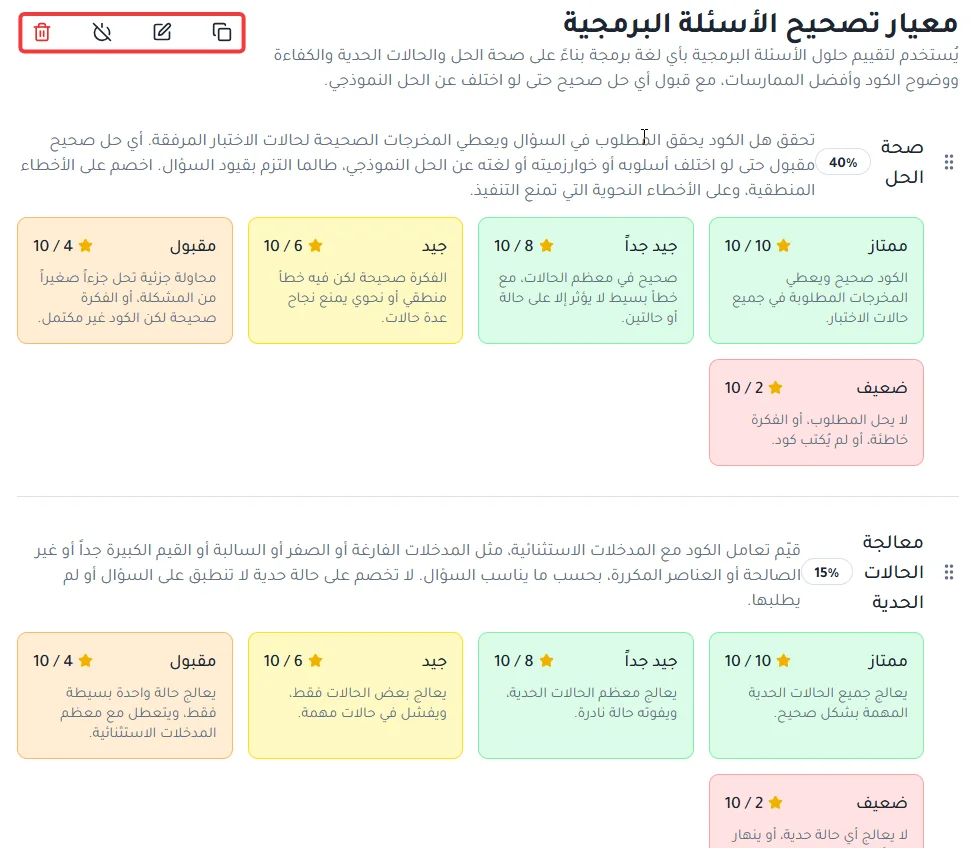
Copy rubric: create a new copy of the rubric.
Edit: make changes to the rubric.
Activate / Deactivate: activate or disable the rubric as needed.
Delete: permanently remove the rubric from the system, if it is not linked to any question.