Users & permissions
Find and manage users
Learn about the filtering and search tools and the actions available on users.
Last updated
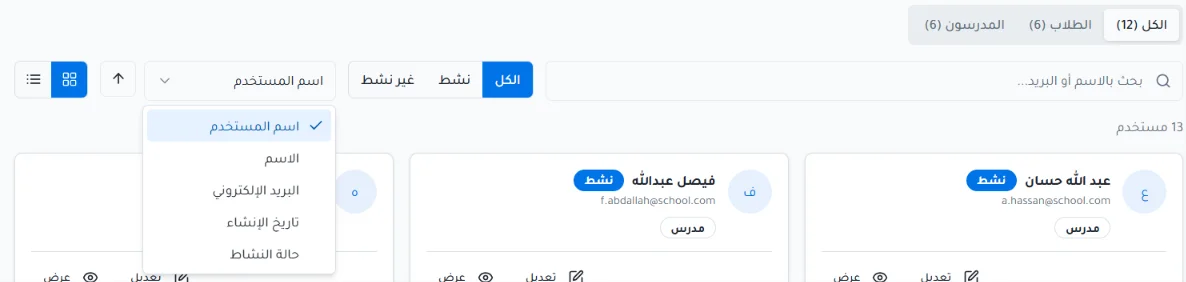
The Users page offers tools to search, filter and sort users, and actions to manage each user's account.
Filtering and search tools
Filter users by role: students or teachers, or show all.
Show user data as cards or as a table.
Filter users by status (active or inactive).
Sort users by username, email, creation date or activity status.
Use the search bar to find a user by name or email.
Actions
View a user's data.
Edit a user's data.
Reset the password, for students only.
Change a student's or teacher's status from active to inactive and back.


