Question banks
Manage question bank topics
Learn how to add, edit and delete a topic in a question bank.
Last updated
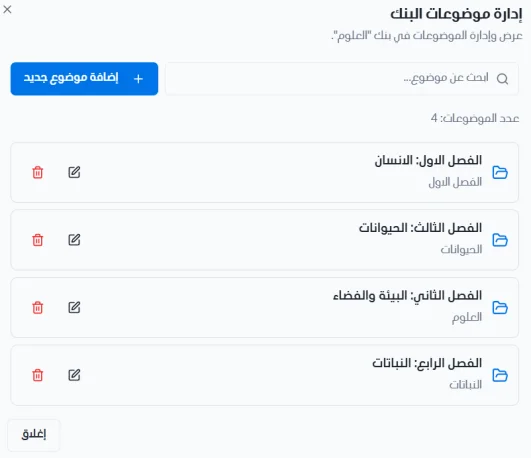
Click Manage topics to view and manage the topics of the bank. Use the search bar to find any topic in the list.
Add a new topic
Click + Add new topic.
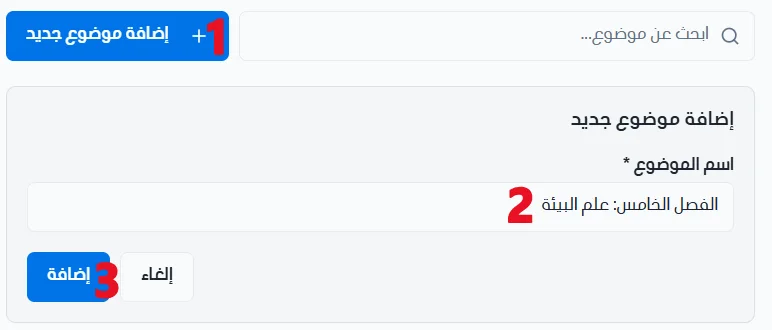
Enter the topic name.
Click Add to save the new topic, or Cancel to back out.
Edit a topic
Click the edit icon.
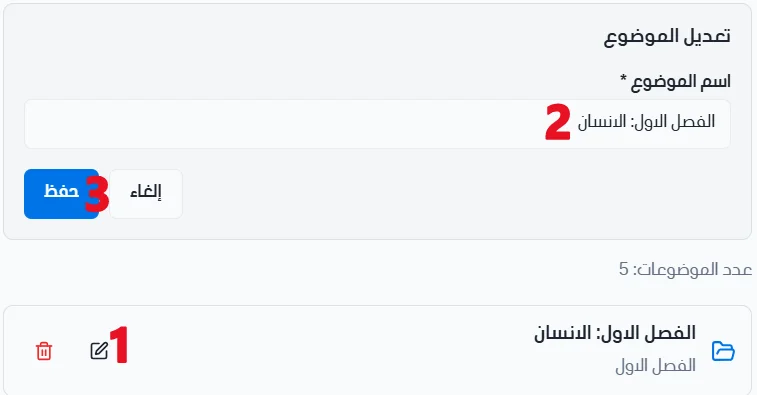
Make your changes to the topic name.
Click Save to save the changes, or Cancel to back out.
Delete a topic
Click the delete icon.
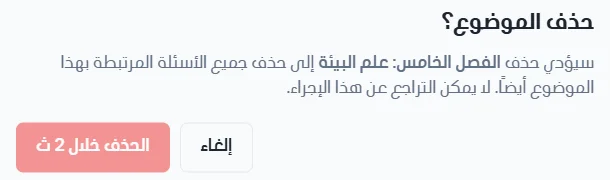
When the waiting period ends, click Delete topic.