Reports
Compare groups
Compare group performance in exams by average, pass rate, and topic mastery.
Last updated
The Group comparison page lets you compare group performance in exams and review topic mastery over the period.
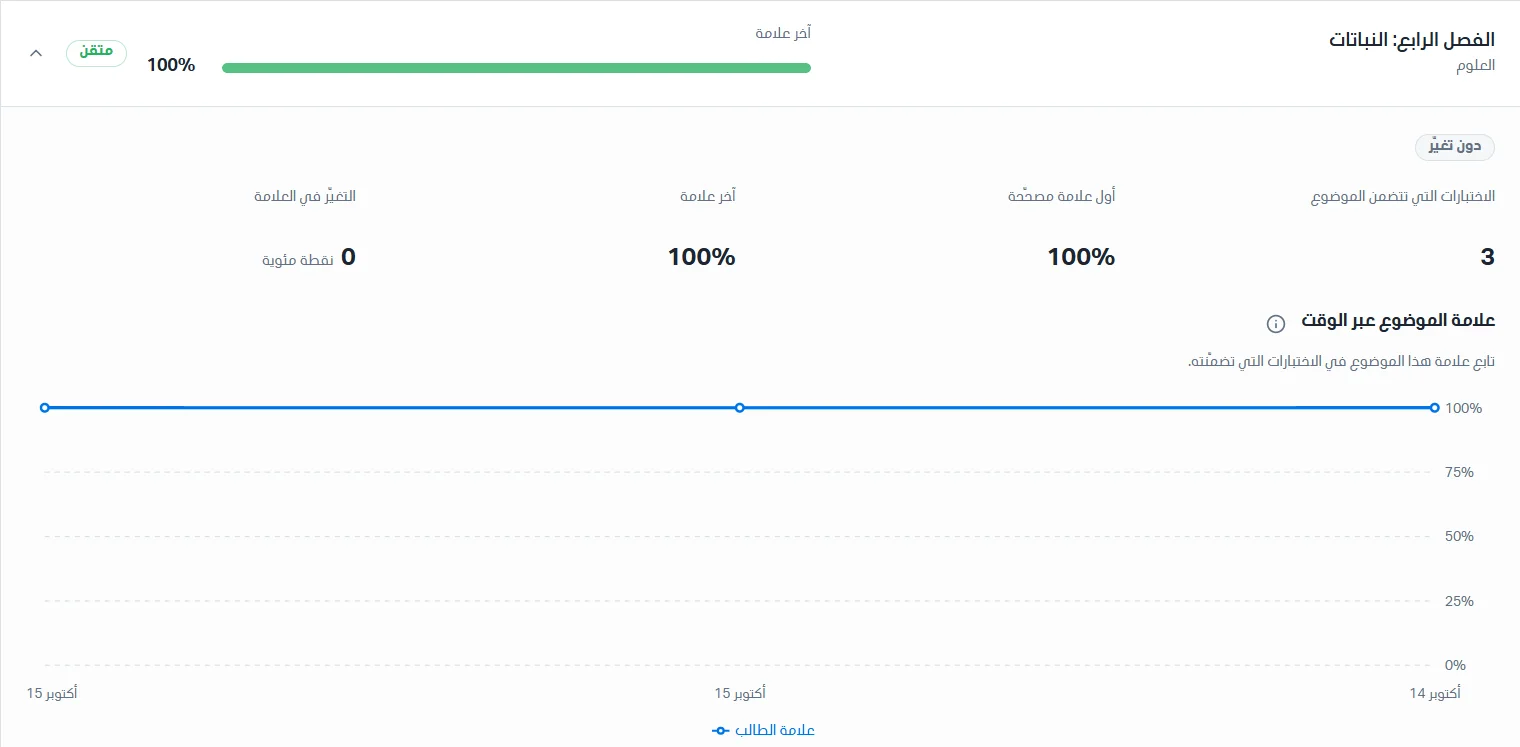
Choose the groups
A list at the top of the page lets you choose the groups you want to include in the comparison. Click Refresh to make sure you have the latest data in the system.

Compare performance between groups
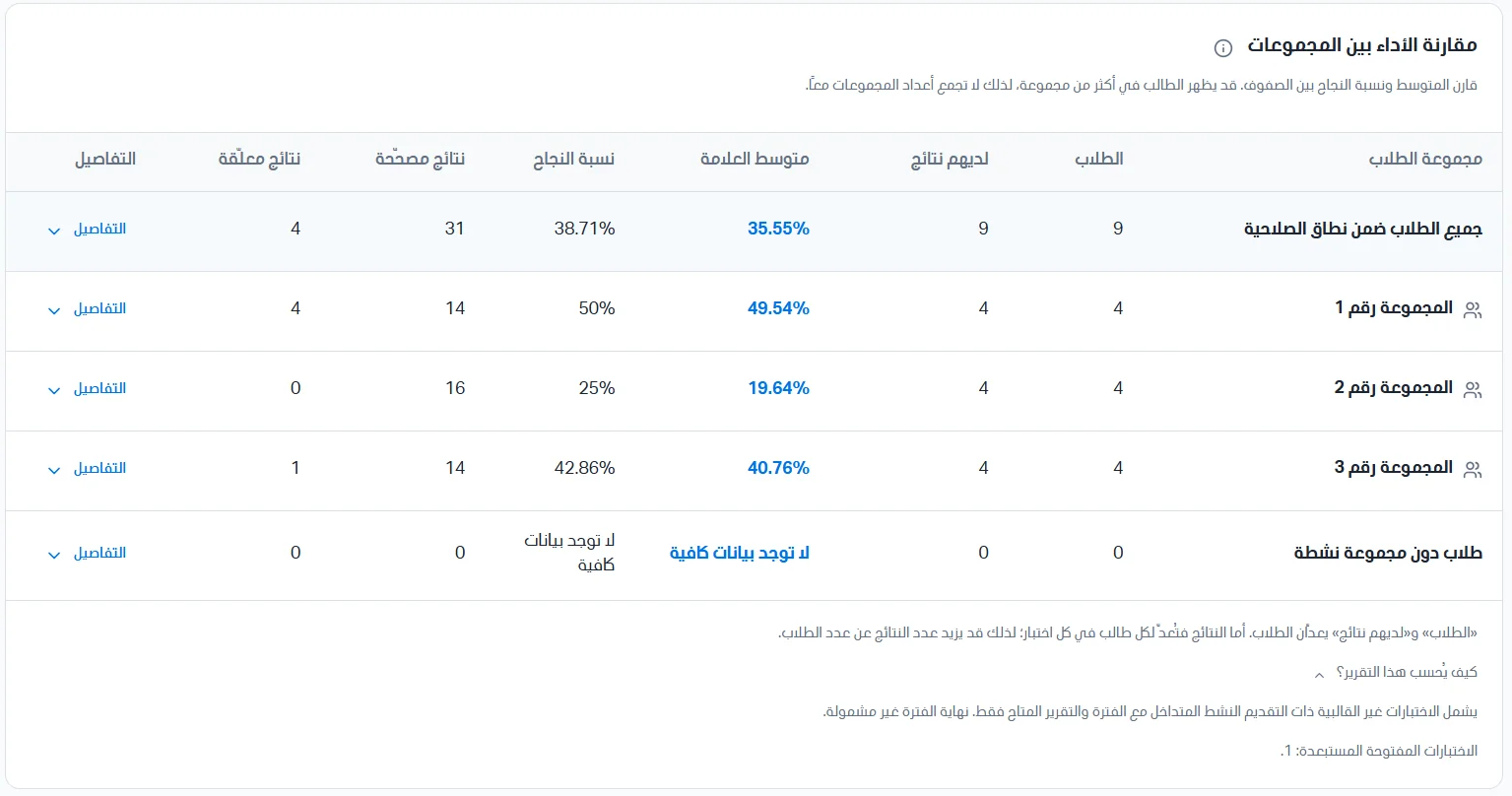
In this section you can compare the average and pass rate across classes. A student may appear in more than one group, so do not add the group counts together. The data appears in a table:
Student group name.
Number of students.
Number of students with results.
Average score.
Pass rate.
Number of pending results.
Details.
Group details
Click Details to view the following data:
Exam results.
Highest score.
Lowest score.

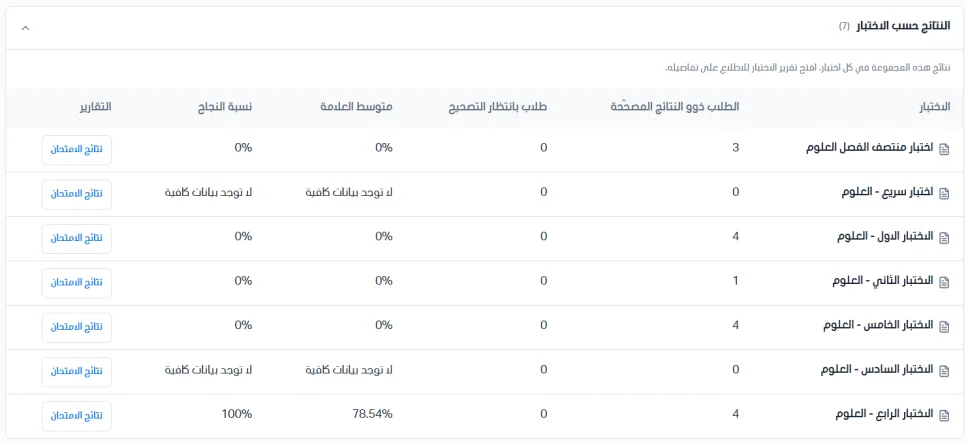
The results-by-exam table shows this group's results in each exam; click the exam results to see the details. The table shows:
Exam name.
Number of students with graded results.
Number of students awaiting grading.
Average score for the exam.
Pass rate in the exam.
Reports.
Topic mastery during the period
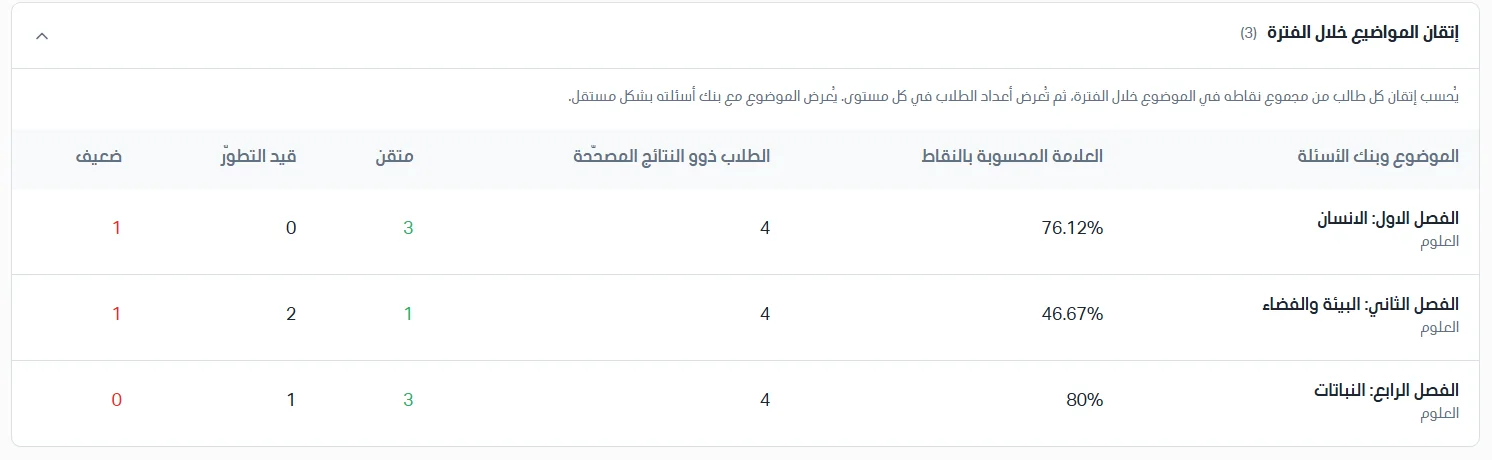
Each student's mastery is calculated from their total points in the topic during the period, and then the number of students at each level is shown. Each topic is shown separately with its question bank.
Important notes
Average score and pass rate summarize the graded results within the selected period.
Pending results appear separately.
No data does not mean the result is zero.
The membership shown is current, not historical. A student who belongs to several groups appears in each group and once under all students; therefore do not add the group counts together.
Results are counted once per student in each exam, and topic mastery is calculated from the student's total points during the period.
Only the data available within your permission scope is shown.