Settings
Transactions and spending limits
Review AI credit transactions and add a spending limit for a person or the whole institution.
Last updated
This page shows AI credit transactions and lets you set spending limits to control credit usage.
Transaction log
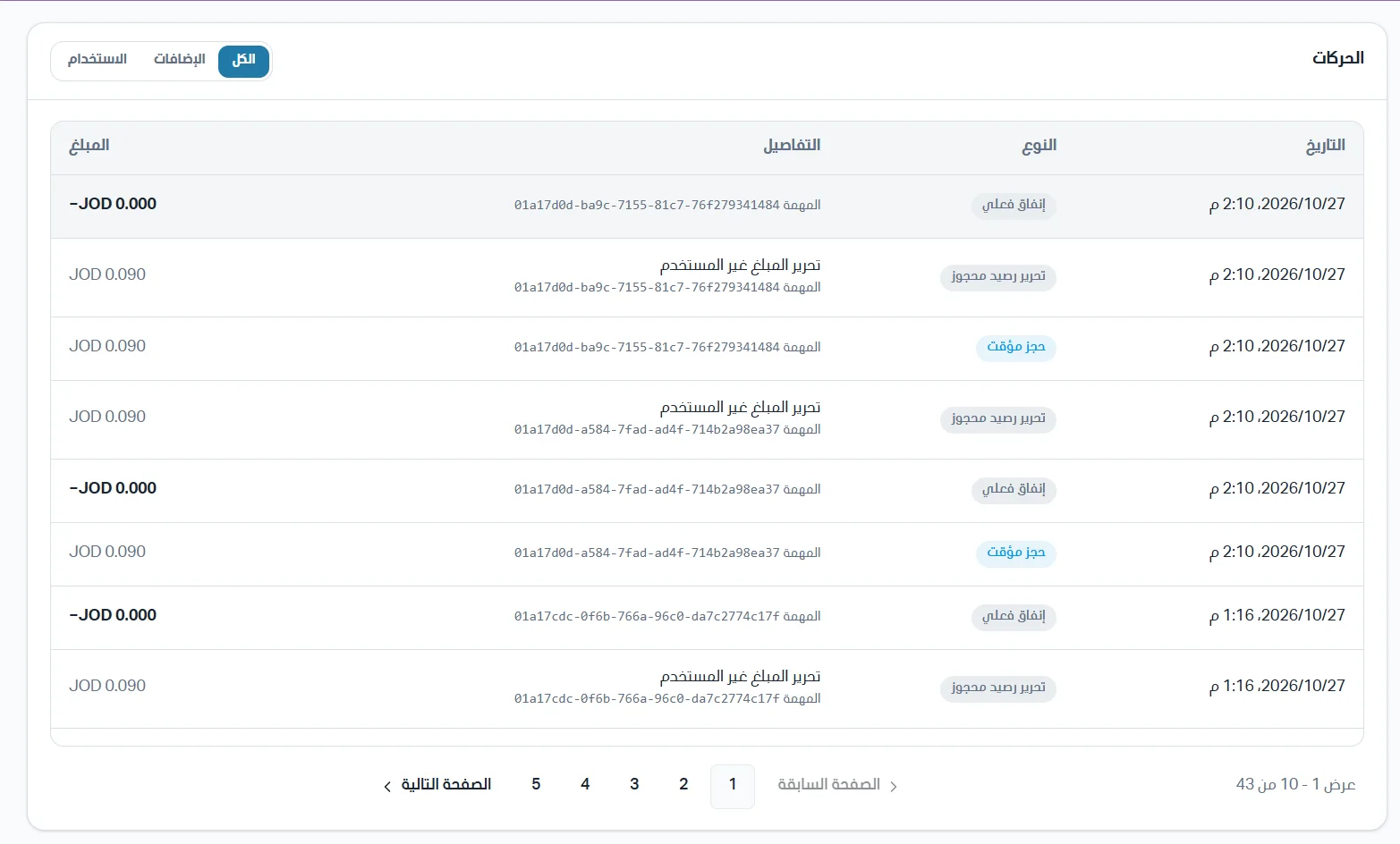
AI credit transactions appear in a table with the following data:
Transaction date and time.
Transaction type.
Transaction details, when the unused amount and the task identifier are defined.
Amount.
You can filter the transaction list by top-up transactions or usage transactions.
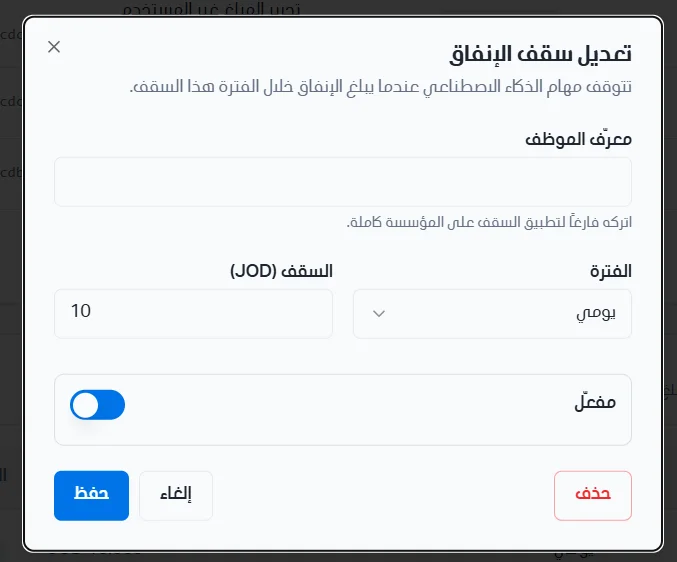
Spending limits
Spending limits are used to stop AI tasks when a person or the whole institution reaches the spending limit.

Add a limit
Click Add limit.
Enter the required data: the employee ID, or leave the field empty to apply the limit to the whole institution.
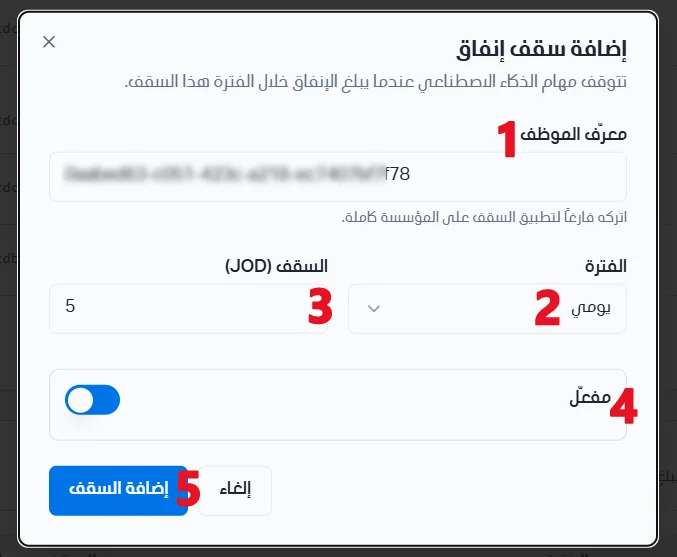
Set the period, which is the time span over which the limit applies, for example JOD 5 per day.
Choose whether to enable or disable the limit.
Click Add limit.