Reports
Compare student attempts
Compare each student's first and last graded attempts to see whether their performance improved or declined.
Last updated
This page compares each student's first graded attempt with their last graded attempt, so you can tell whether their performance improved or declined.
Section 1: Attempts comparison
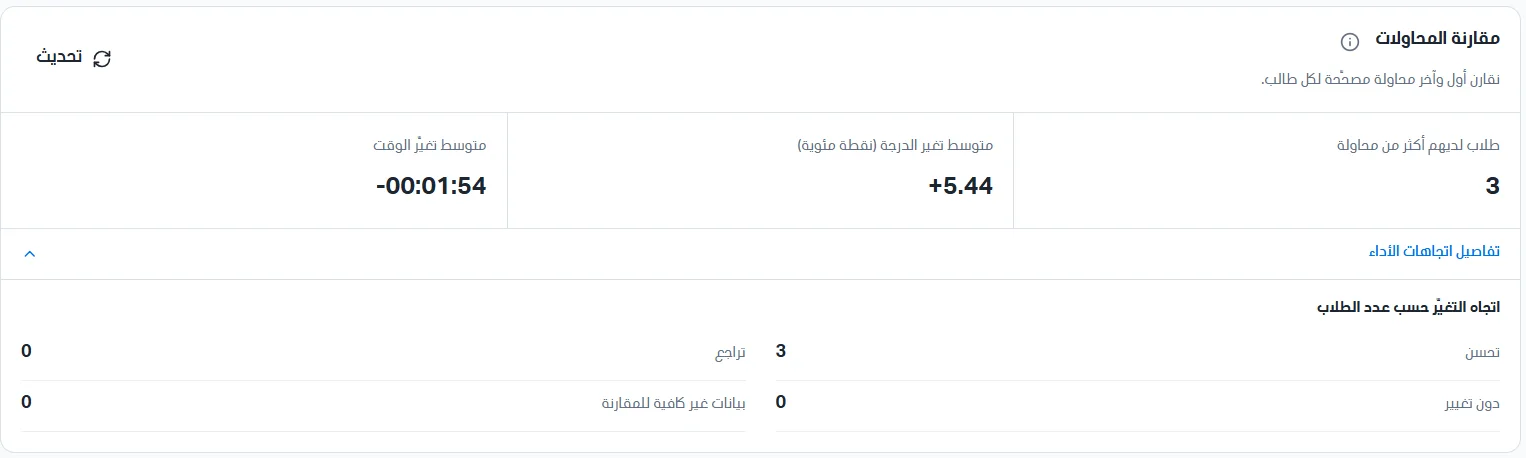
Students with more than one attempt: the number of students who made more than one attempt; these are the students included in the comparison.
Average score change: the average difference between the score of the last attempt and the first attempt for these students.
Average time change: the average difference between the time of the last attempt and the first attempt.
Click Performance trend details to see the direction of change by number of students:
Improved: the number of students whose score increased.
No change: the number of students whose score did not change.
Declined: the number of students whose score decreased.
Insufficient data for comparison: the number of students who do not have two graded attempts to compare.
Section 2: Students comparison
A table lists every student who has more than one attempt. You can search for a student by name or code, and filter students by trend (improved, declined, no change, insufficient data for comparison). The table shows the following data:
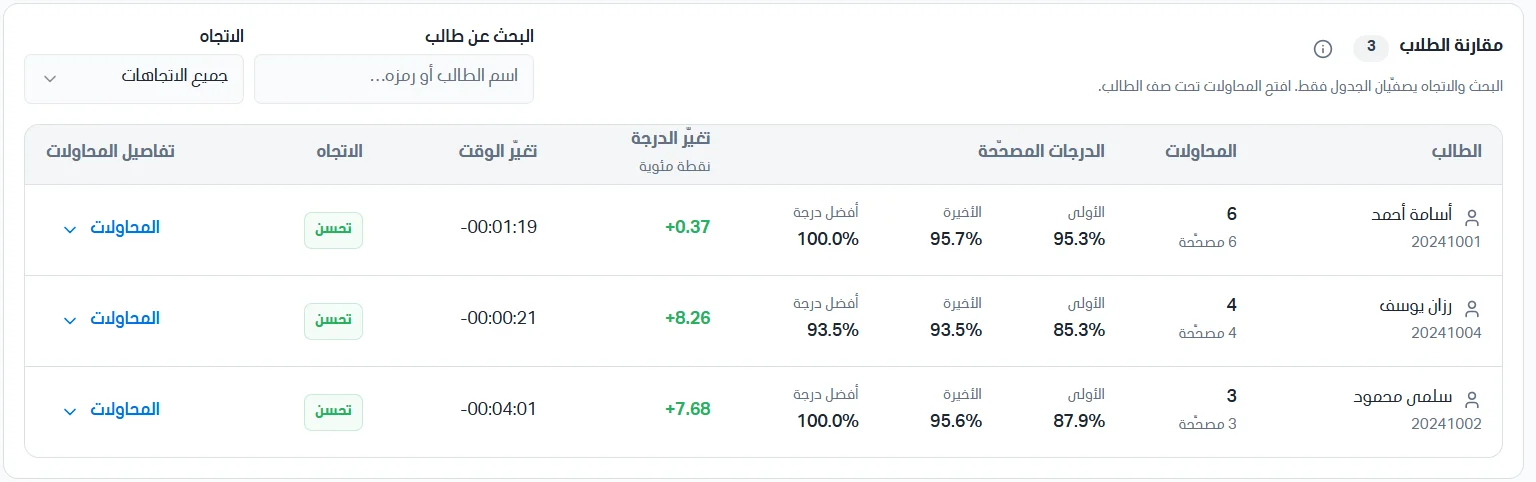
Student: the student's name and academic number.
Attempts: the number of attempts, with the number of graded attempts beneath it.
Graded scores: first (the score of the first graded attempt), last (the score of the last graded attempt), and best score (the highest score achieved in any attempt).
Score change: the difference between the last and first score. Green with a (+) sign means improvement.
Time change: the difference between the time of the last and first attempt.
Trend: the student's status (improved or otherwise) according to the change.
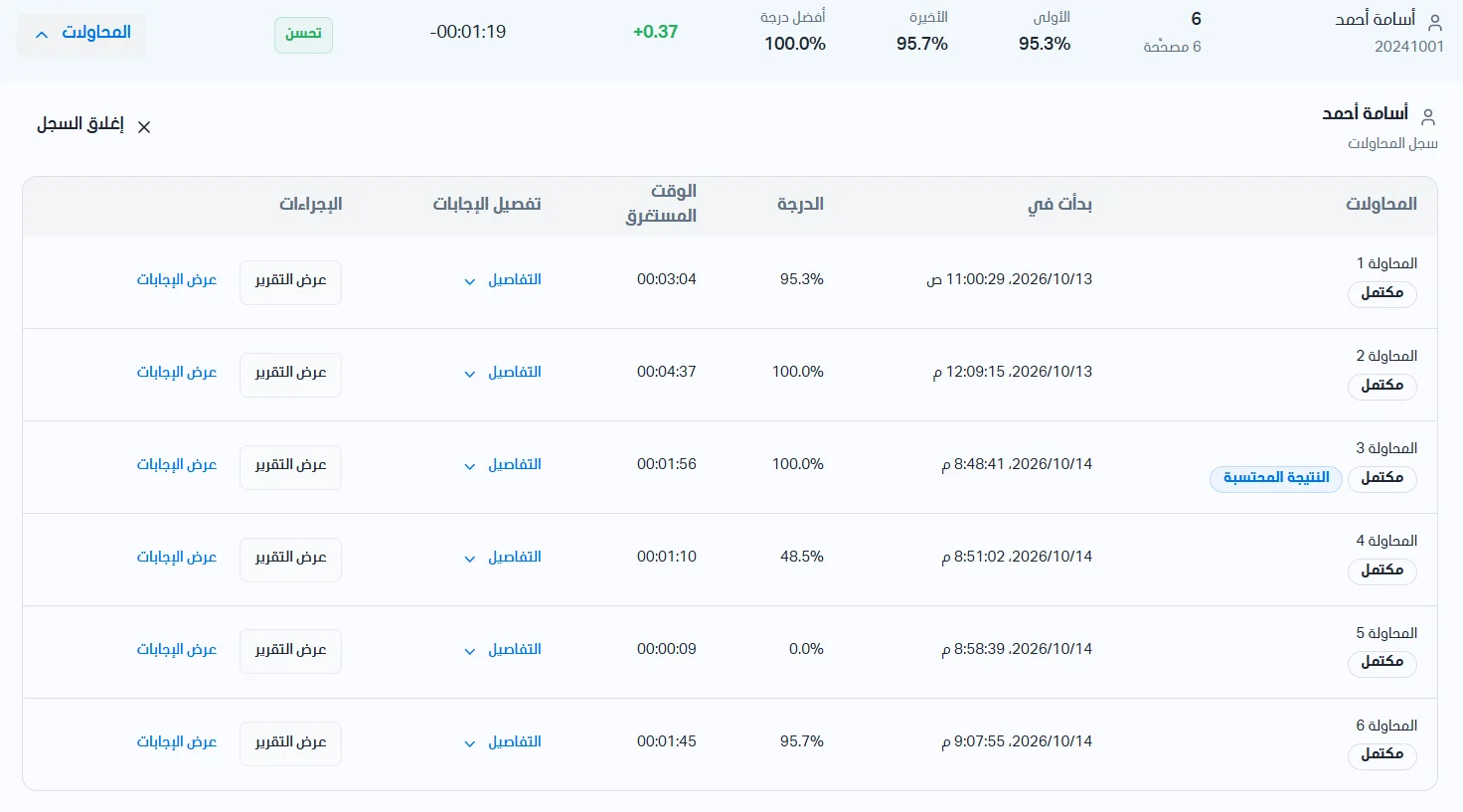
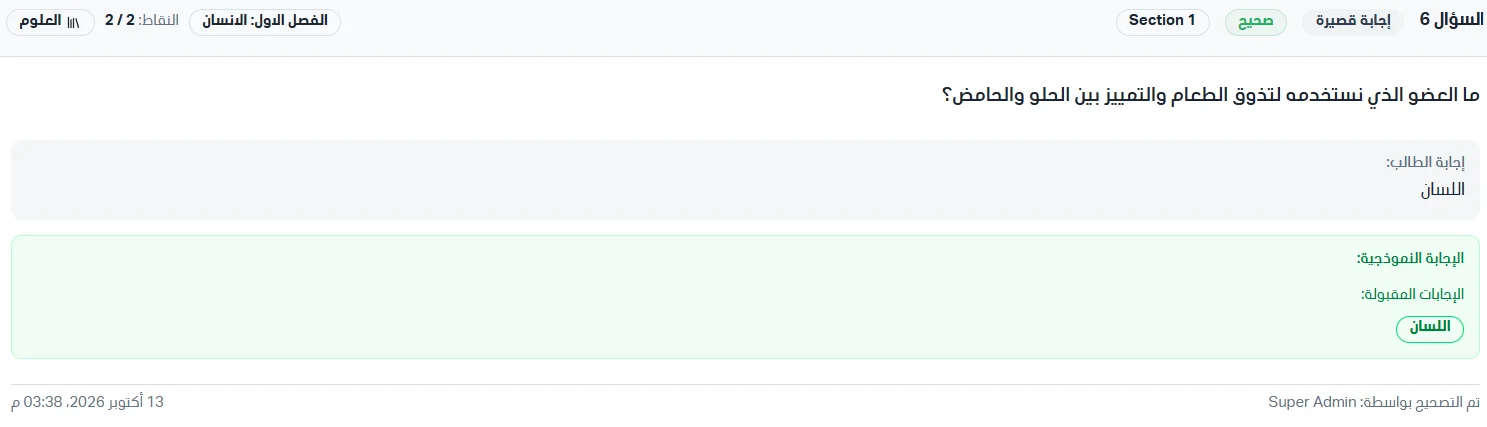
Attempt details: click Attempts (the arrow) to show the student's full attempts under their row. You can view reports and see the answers for each attempt.