Getting started
The dashboard: overview
Learn about the dashboard's statistic cards, quick actions and upcoming exams section.
Last updated
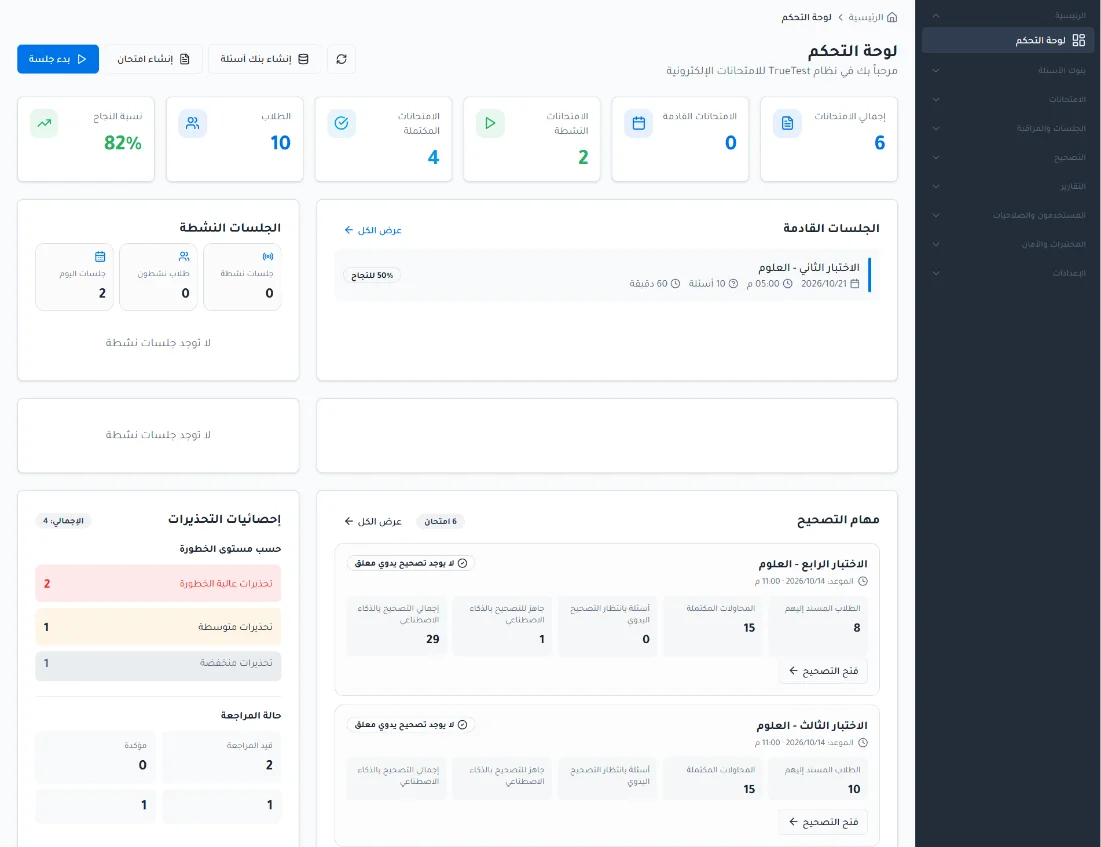
The dashboard is the home page of TrueTest. It gives a summary of the key statistics and activity related to exams, sessions, warnings and grading tasks.
Open the dashboard
From the side menu, click Home then choose Dashboard.
Statistic cards
Six statistic cards appear at the top:
Total exams: the total number of exams in the system.
Upcoming exams: the number of exams whose sessions are all upcoming and none has started yet.
Active exams: the number of exams with at least one active or upcoming session right now, even if they also have completed or upcoming sessions at the same time.
Completed exams: the number of exams whose sessions are all completed.
Students: the number of students registered in the system.
Pass rate: the pass rate across completed exams.
Quick actions
The dashboard provides these shortcuts:
Create question bank: takes you to the curriculum structure page to create a new question bank.
Create exam: takes you to the page for creating a new exam.
Start session: takes you to the session management page to reach and manage sessions.
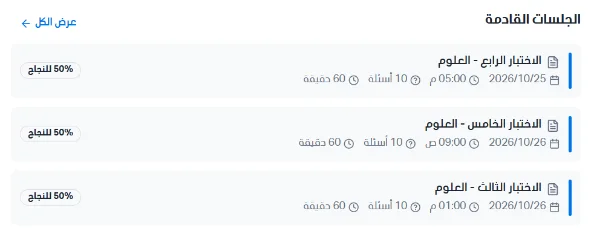
Upcoming exams
This section shows upcoming assigned exams with details such as exam name, date, time, number of questions, duration and pass rate. View all takes you to the session management page to see the full list of upcoming sessions.