Exams
The exams page
Learn about the stat cards, search, filters and actions used to manage exams.
Last updated
This page lets a system admin or teacher manage all exams on the platform.
Open the page
From the side menu, click Exams and then choose Exams.
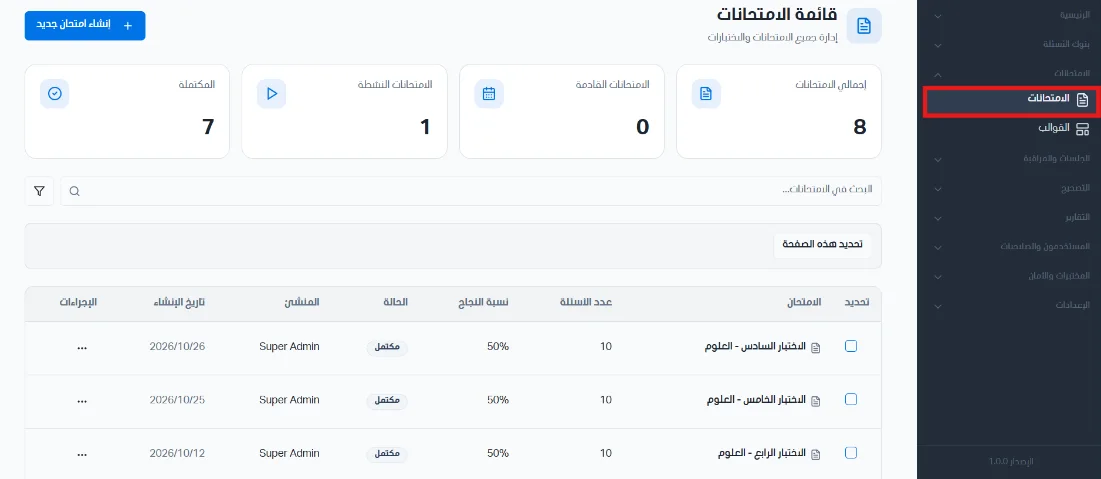
Stat cards
Stat cards appear at the top of the page:
Total exams: the total number of exams in the system.
Upcoming exams: the number of upcoming exams.
Active exams: the number of exams that are active right now.
Completed: the number of exams that have ended.

Search, filter and sort
Use the search bar to search exams.
Filter exams by status, creator, or the time period of the creation date.
Sort exams by newest, oldest, name, fewest or most questions, lowest or highest passing score, or by status from draft to completed or the reverse.

You can select several exams and delete them.
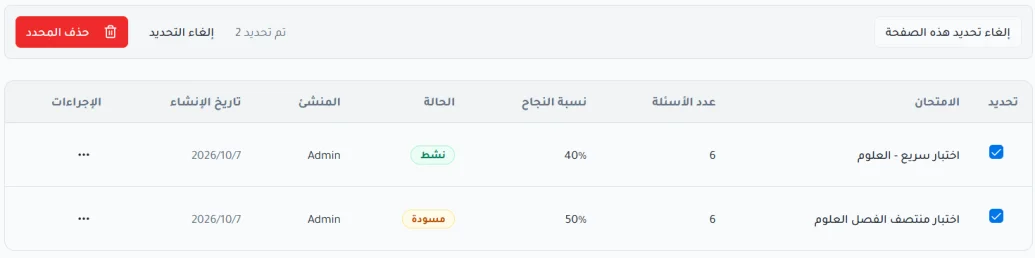
Available actions
Edit exam: modify the exam and save the new data.
Assign exam: link a specific exam to a number of students or to a specific group.
Delete: permanently remove the exam from the system.



